
Adding services data for usage in services reports
For any data to appear in generated services reports for a project, first it needs to be flagged as services data by a project administrator. To do this, goto Project administration > Layers > Edit. Select or search for the services related layer in the select at the top of the page.

Once the layer is selected the layer properties will be populated in the fields below.
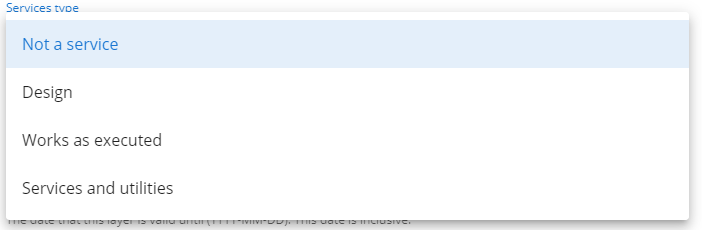
By default, layers will start with a Services type value of Not a service as seen below.

To mark the layer as a services layer to be included in services reports, the Services type must be set to either
-
Design
-
Works as executed
-
Services and utilities
Other fields that will affect whether a layer will appear in a services report are below
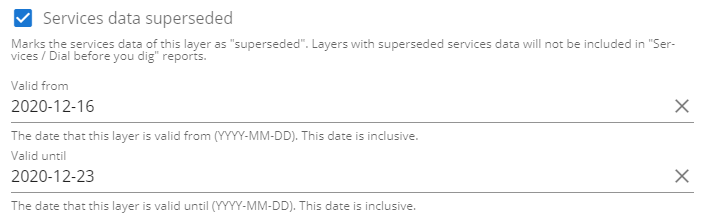
- Service data superseded - If checked, the data is “superseded” and is considered out of date. It will not be included in services reports.
- Valid from - If set, the layer will only be included in the services report if the current date is greater than the Valid from date.
- Valid until - If set, the layer will only be included in the services report if the current date is less than the Valid until date.
How to generate services reports
Section titled “How to generate services reports”See service reports to learn how to generate a services report.