
# Merging two accounts
If you have two Civillo accounts with different primary email addresses, you are able to merge them into a single account, retaining the superset of content and privileges previously available to the two former accounts.
TIP
Note that this feature is only available to users whose organization is using single sign-on. The domains of the primary email addresses of both users must be owned by the same organization in order to merge the accounts.
Identify which account to merge and which account to keep. The kept account will retain its profile information (name, password, MFA settings, API keys) while this will be lost for the account being merged.
Sign in with your account designated as the account to keep, navigate to the profile page then add the primary email of the account to merge as an alternate email address. See the account management page for how to do this.
TIP
Note that you will only be able to add an email address which is a different user's primary email as one of your alternate emails if both of your accounts are managed by the same organization using single sign-on.
You will receive an email to this added address containing a link to a page which will prompt you to merge accounts. Note that you will have to log out of the account being kept then sign in as the account being merged in order to click the link and view this page, otherwise you will receive an error page stating "User merge cannot be performed".
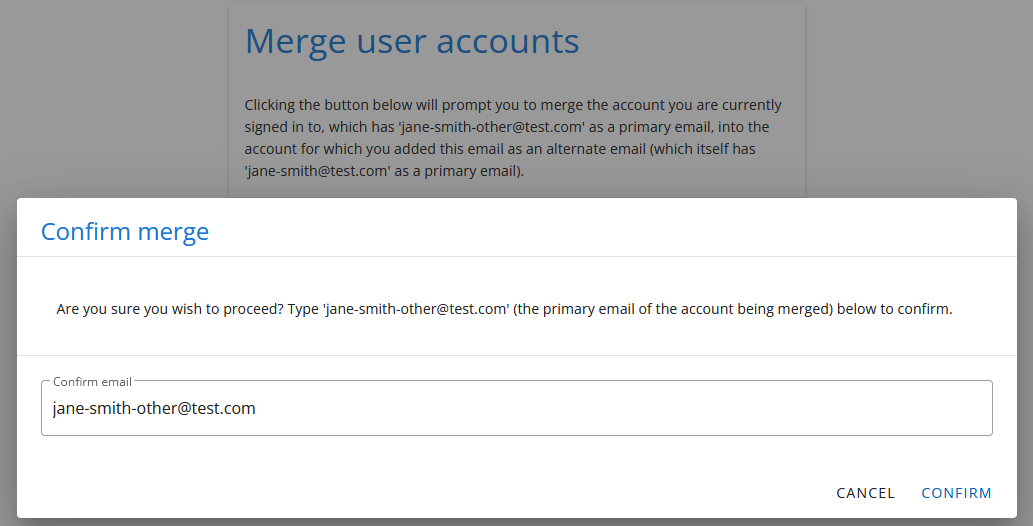
Once reaching this page, click the Merge users button, enter the primary email of the account to merge, then click Confirm.
- If the merge was successful then you will see the following message. You will be signed out of the account being merged.
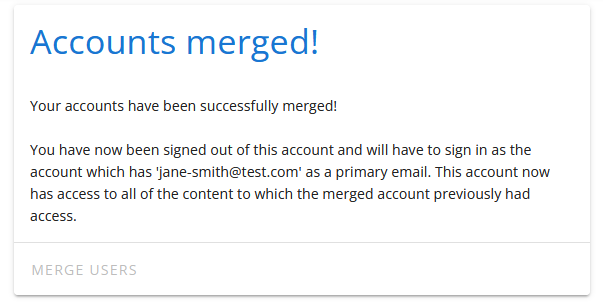
- Sign in as the account which was kept and confirm that you have the former primary email address of the account which was merged as an alternate email and that you have access to all of the content to which they previously had access.
If any issues arise as part of this procedure please contact us at support@civillo.com.